Leadtosale

Data Studio

  • Data Studio (formerly Data Studio) integration allows you to visualize Leadtosale lead data in custom dashboards.
  • Pull lead data directly from Leadtosale into Data Studio for reporting and analysis.
  • Create visualizations combining lead attribution data with other data sources.

Configuration

  • Navigate to Container settings > Integrations > Data Studio.
  • Reveal and copy your API key. This key is personal to your user.
  • Click “Connect” to open the Leadtosale connector in Data Studio.
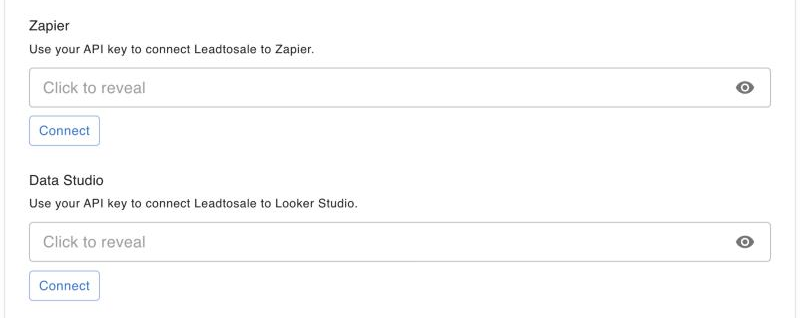
  • Locate your API key

Available data

  • Lead ID and details (email, phone, value, status)
  • Attribution data (UTM parameters, referrer, cookies)
  • Temporal data (created date, timezone)
  • Device and location data
  • Tracker information (type, name)

Setting up in Data Studio

  1. Click the “Connect” button next to Data Studio in Container settings > Integrations.
  2. Authenticate using your API key.
  3. Select the account and container to report on.
  4. Choose date range and configure any filters.

Troubleshooting

  • Verify your API key is valid and hasn’t been regenerated.
  • Check that your user has access to the account/container.
  • Refresh data source if fields appear missing.
  • Check date ranges match your expected data.
Data Studio (formerly Data Studio) integration allows you to visualize Leadtosale lead data in custom dashboards. Pull lead data directly from Leadtosale into Data Studio for reporting and analysis. Create visualizations combining lead attribution data with other data sources. Configuration Navigate to Container settings > Integrations > Data Studio. Reveal and copy your API key. This key is personal to your user. Click “Connect” to open the Leadtosale connector in Data Studio. Available data Lead ID and details (email, phone, value, status) Attribution data (UTM parameters, referrer, cookies) Temporal data (created date, timezone) Device and location data Tracker information (type, name) Setting up in Data Studio Click the “Connect” button next to Data Studio in Container settings > Integrations. Authenticate using your API key. Select the account and container to report on. Choose date range and configure any filters. Troubleshooting Verify your API key is valid and hasn’t been regenerated. Check that your user has access to the account/container. Refresh data source if fields appear missing. Check date ranges match your expected data.