Meta Pixel
- The Meta Pixel integration uses Facebook’s Conversions API (CAPI) for server-side tracking.
- Sends lead, qualified lead, and sale events directly from Leadtosale to Facebook.
Configuration
- Navigate to Container Settings > Integrations > Facebook.
- Enter your Facebook Pixel ID.
- Enter your Conversions API access token (generated in Facebook Events Manager - instructions below).
Getting your credentials
Pixel ID:
- Found in Facebook Events Manager under your pixel settings.
- Format: A numeric string (e.g., 123456789012345).
Conversions API Access Token:
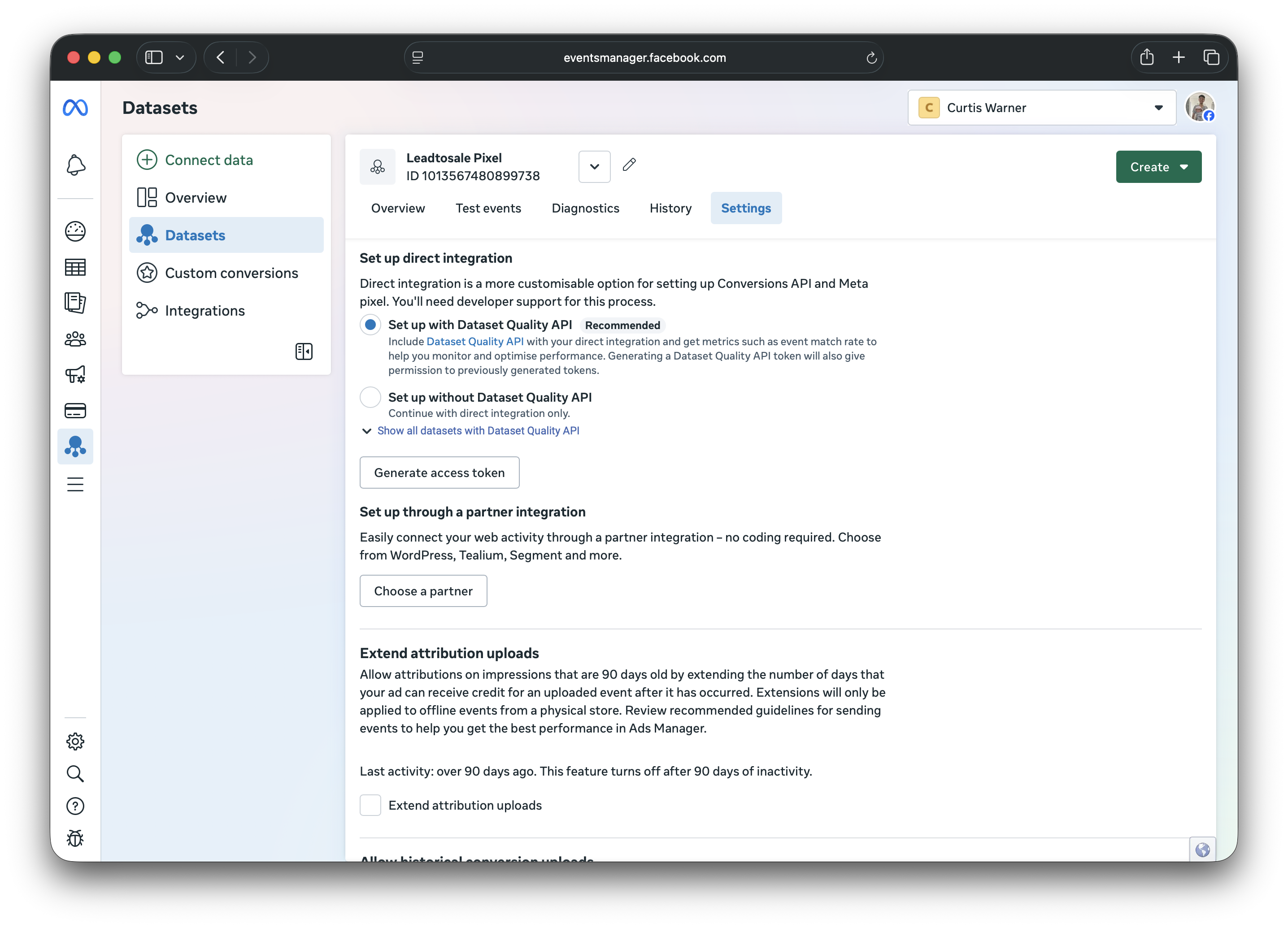
Generate in Facebook Events Manager > Datasets > Select your Pixel > Settings > Conversions API > Set up a direct integration > Generate Access Token

Events sent to Facebook
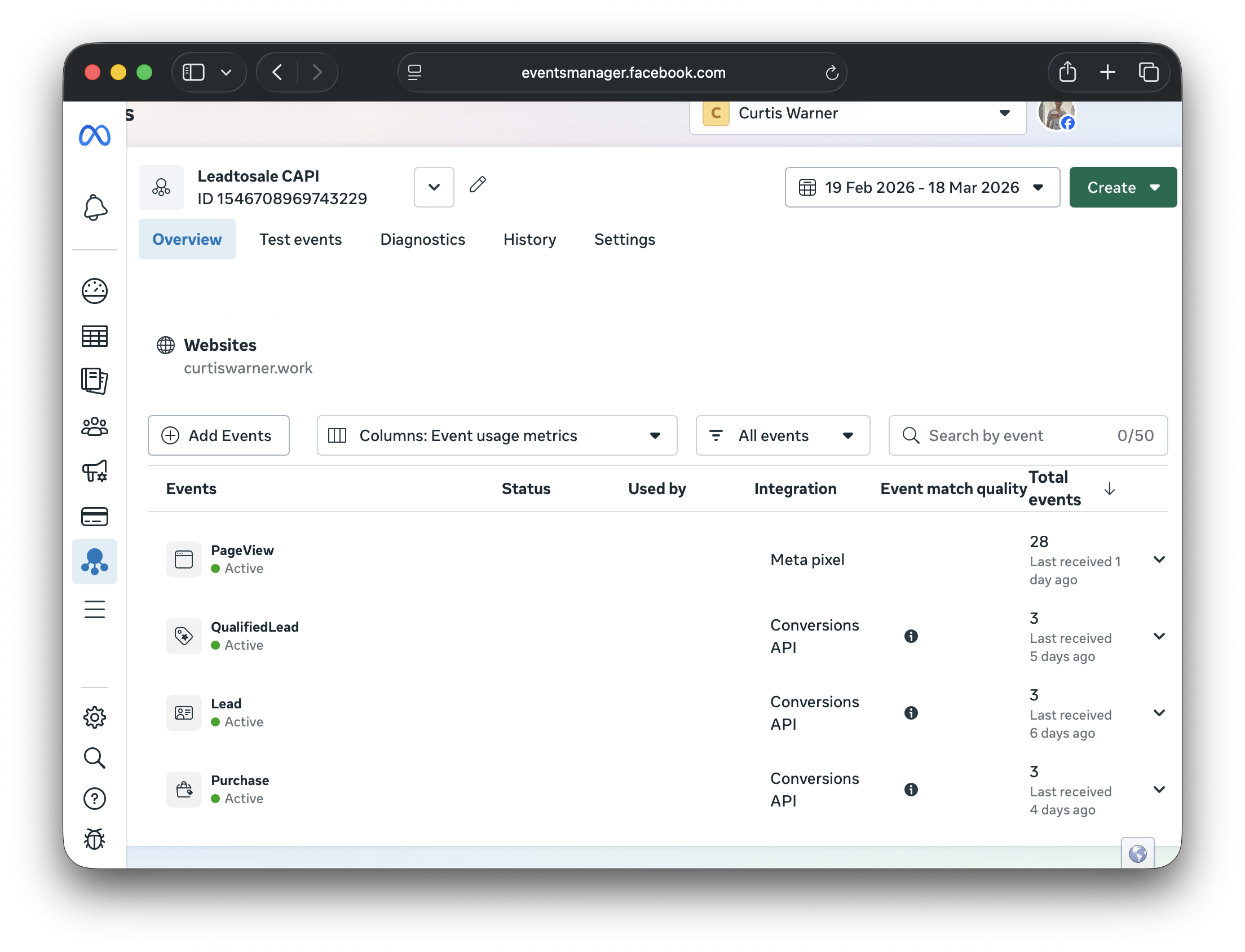
- Lead - Sent when a new lead is captured.
- QualifiedLead - Sent when a lead is marked as qualified.
- Purchase - Sent when a lead is marked as a sale with value.
Data sent
- Email address for form and custom leads (SHA-256 hashed)
- Phone number for call leads (SHA-256 hashed)
- City and country
- Facebook click/browser IDs (fbc, fbp)
- IP address and user agent

Per-tracker settings
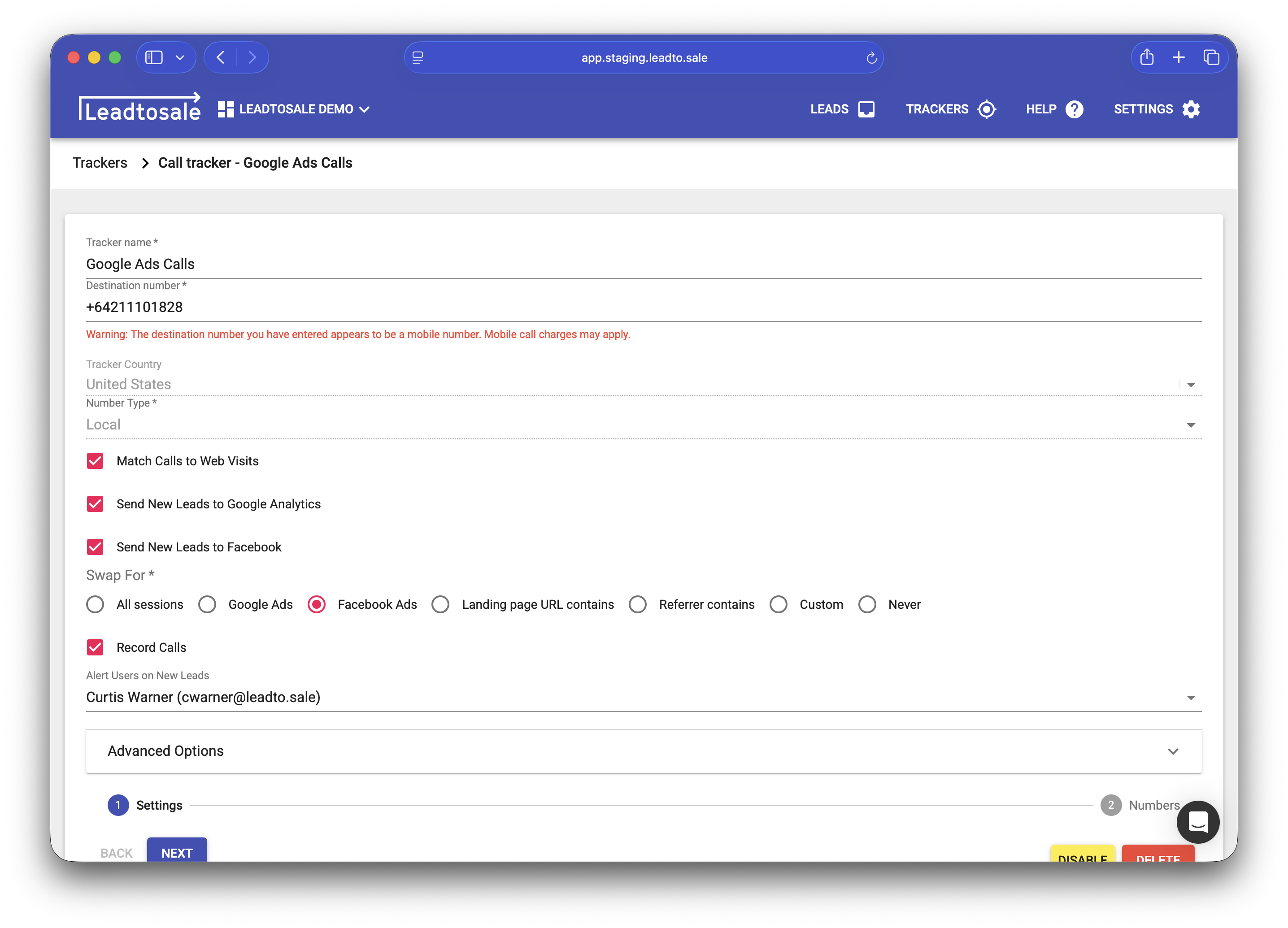
- Each tracker (call, form, custom) can individually enable/disable Facebook sending for sending leads.
- Enable “Send new leads to Facebook” in tracker settings.
- You cannot turn off QualifiedLead or Purchase events for processed leads.

Testing
- Generate a test lead and check Facebook Events Manager for the event.
- Events typically appear within a few minutes, although can sometimes take 24 hours.
- Verify event matching quality in Facebook’s diagnostics tools.
Troubleshooting
- Verify your Pixel ID is correct.
- Ensure your access token hasn’t expired.
- Check that the tracker has “Send new leads to Facebook” enabled.
- Review Facebook Events Manager > Diagnostics for event delivery issues.
- Make sure api.leadto.sale is not a blocked domain.