Custom trackers

  • Custom trackers provide a JavaScript API for capturing leads from any event source.
  • Use when form trackers or call trackers don’t fit your use case (e.g., AJAX submissions, button clicks, chat widgets).
  • Developers can call the API with custom data and full attribution is automatically added.

Creating a custom tracker

  • Navigate to the ‘Trackers’ section of your container using the top menu.
  • Click the “CUSTOM TRACKER” button to create a new tracker.
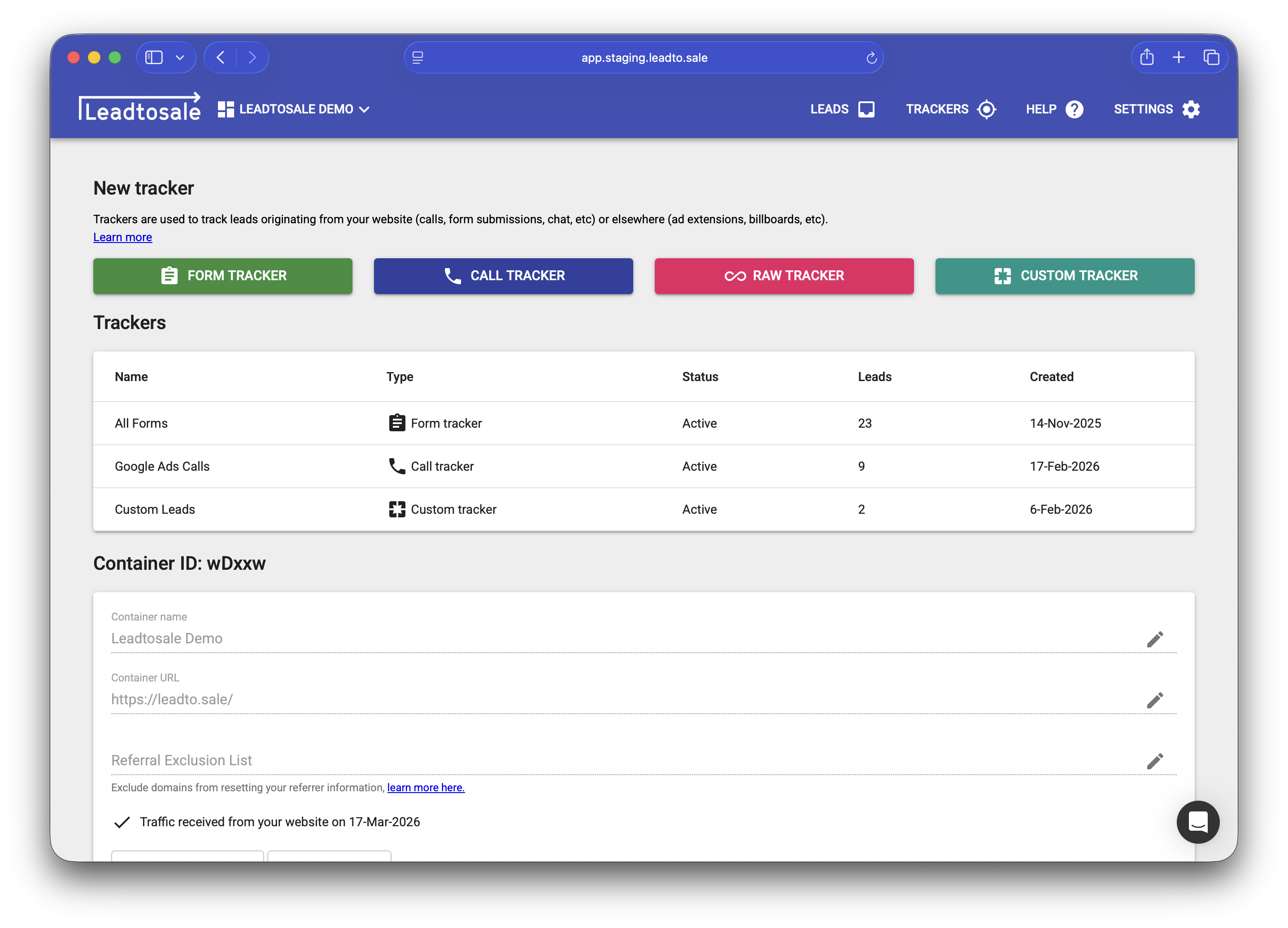
  • Create a new custom tracker

Configuration options

Tracker name - A name to identify this tracker. Used to segment leads.

Require email - Marks leads without email addresses as invalid.

Alert users - Send email notifications to specified users when new leads arrive.

JavaScript API

After creating a custom tracker, use the following JavaScript API to capture leads:

document.createLead({
    email: "user@example.com",
    phone: "+1234567890",
    name: "John Smith",
    // Add any custom fields
    custom_field: "custom value"
});
  • The createLead() function can be called anywhere on your page after the container snippet loads.
  • Pass an object with any fields you want to capture.

Data captured

In addition to your custom fields, the following are automatically captured:

  • Google Analytics cookies (GA and GA4)
  • Facebook tracking cookies (fbc, fbp)
  • UTM parameters (source, medium, campaign, term, content)
  • Google Click IDs (gclid, dclid)
  • Referrer URL
  • Device and browser information
  • IP address and geolocation

Common use cases

  • Chat widgets - Capture leads when a chat conversation completes.
  • Forms not supported by the form tracker - Track submissions from forms that don’t dispatch a ‘submit’ event.

Testing

  • Call document.createLead() from your browser console with test data.
  • Verify the lead appears in your dashboard with all expected fields.
  • Check that attribution data is correctly captured.
Custom trackers provide a JavaScript API for capturing leads from any event source. Use when form trackers or call trackers don’t fit your use case (e.g., AJAX submissions, button clicks, chat widgets). Developers can call the API with custom data and full attribution is automatically added. Creating a custom tracker Navigate to the ‘Trackers’ section of your container using the top menu. Click the “CUSTOM TRACKER” button to create a new tracker. Configuration options Tracker name - A name to identify this tracker. Used to segment leads. Require email - Marks leads without email addresses as invalid. Alert users - Send email notifications to specified users when new leads arrive. JavaScript API After creating a custom tracker, use the following JavaScript API to capture leads: document.createLead({ email: "user@example.com", phone: "+1234567890", name: "John Smith", // Add any custom fields custom_field: "custom value" }); The createLead() function can be called anywhere on your page after the container snippet loads. Pass an object with any fields you want to capture. Data captured In addition to your custom fields, the following are automatically captured: Google Analytics cookies (GA and GA4) Facebook tracking cookies (fbc, fbp) UTM parameters (source, medium, campaign, term, content) Google Click IDs (gclid, dclid) Referrer URL Device and browser information IP address and geolocation Common use cases Chat widgets - Capture leads when a chat conversation completes. Forms not supported by the form tracker - Track submissions from forms that don’t dispatch a ‘submit’ event. Testing Call document.createLead() from your browser console with test data. Verify the lead appears in your dashboard with all expected fields. Check that attribution data is correctly captured.
Need more help?

Can't find what you're looking for? Our team is here to help.

Contact Support